SENAC
Management System Redesign
In a system that was already quite outdated, we made improvements to the interface with the goal of modernizing it, prioritizing existing functionalities, and enhancing usability and data visualization. The interface should feature consistent components and well-organized information to guide users clearly. The first step was to define our areas of focus: A. Visual Design - Create a comprehensive and systematic UI. - Apply visual elements to improve navigation and information retrieval. - Update the interface with a lighter visual standard, better aligned with digital design best practices. B. Interface Design - Establish a clearer hierarchy for content, buttons, tabs, etc. - Standardize screens to guide users in the proper use of the platform.
My Role
Product Designer — Interaction Design, Visual Design, User Flows, Rapid Prototyping.
Deliverables
Component Libraries High Fidelity Designs Design review after development
Team
2 Designers 1 Project Manager 2 Developers
Tools
Figma
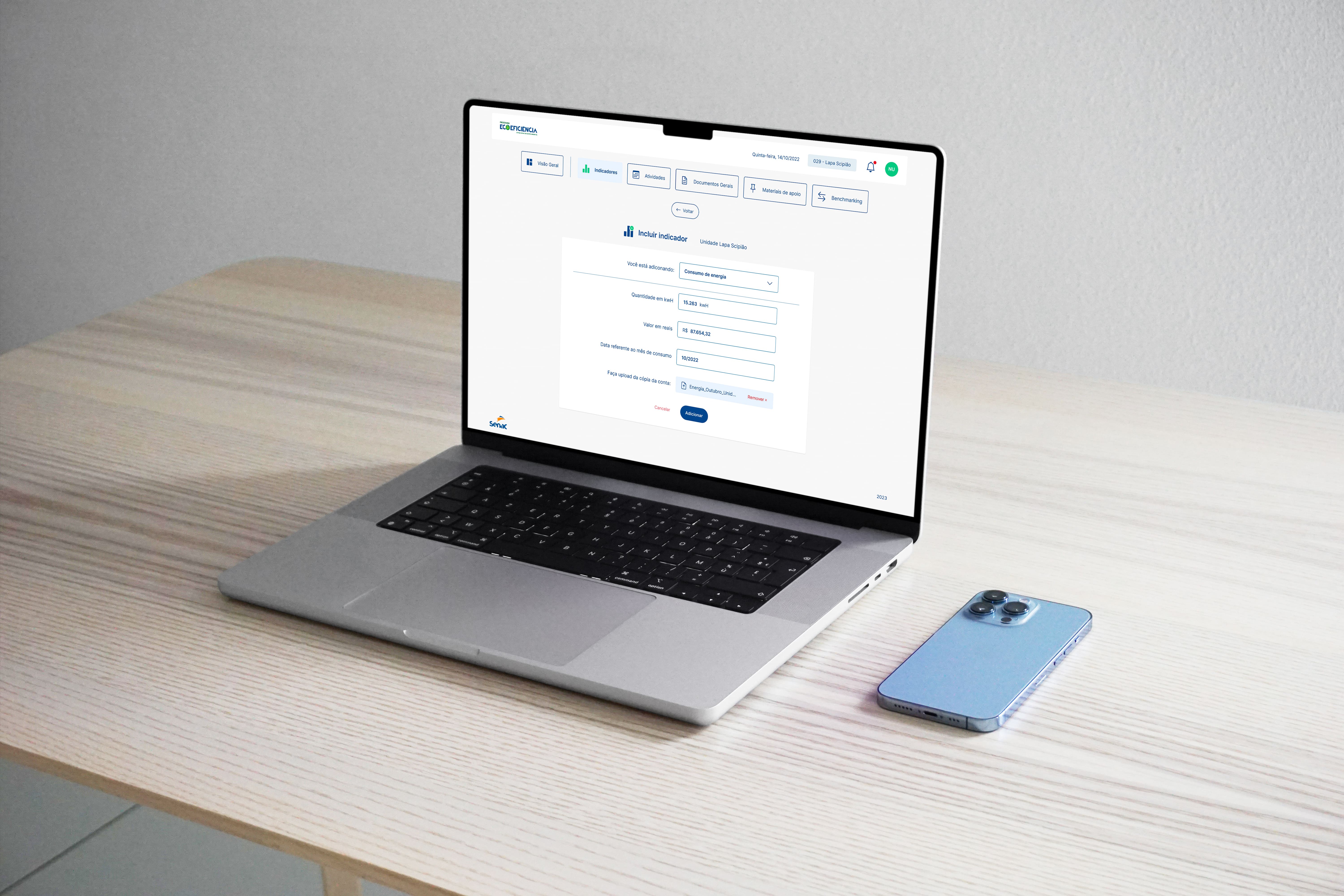
The creation of the components was based on an organized structure, defining specific characteristics for each type of message and action. The style definition of the components takes into account their context and placement on the screen, ensuring a harmonious grouping that enhances information visibility for users. There was no clear organization of either the user flow or the visual components. Additionally, this system has two types of users: basic and administrator. However, the only difference between them is that some paths lead nowhere for the basic user since they do not have permission to view certain elements. Also, the system lacks any form of responsiveness for mobile devices.
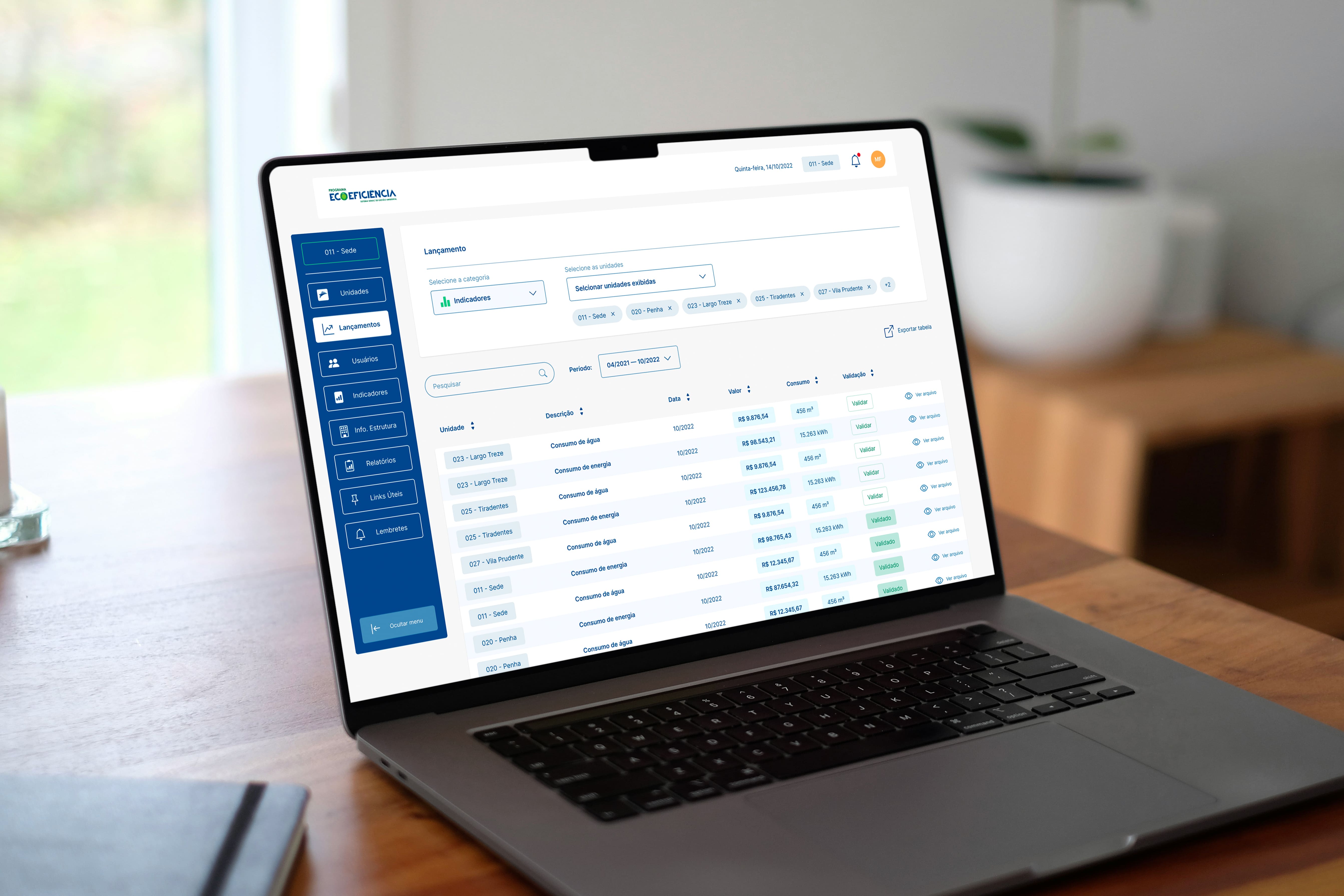
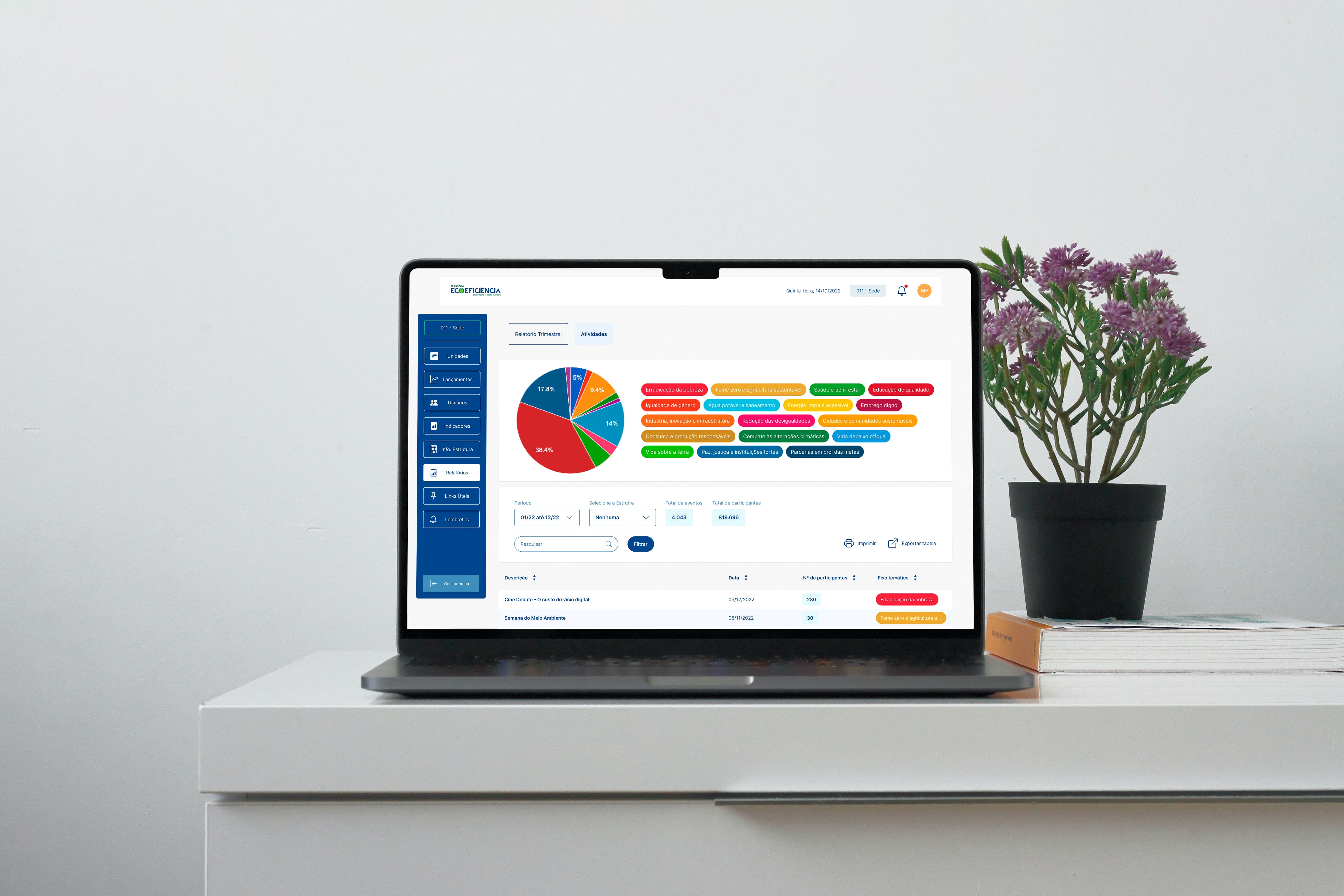
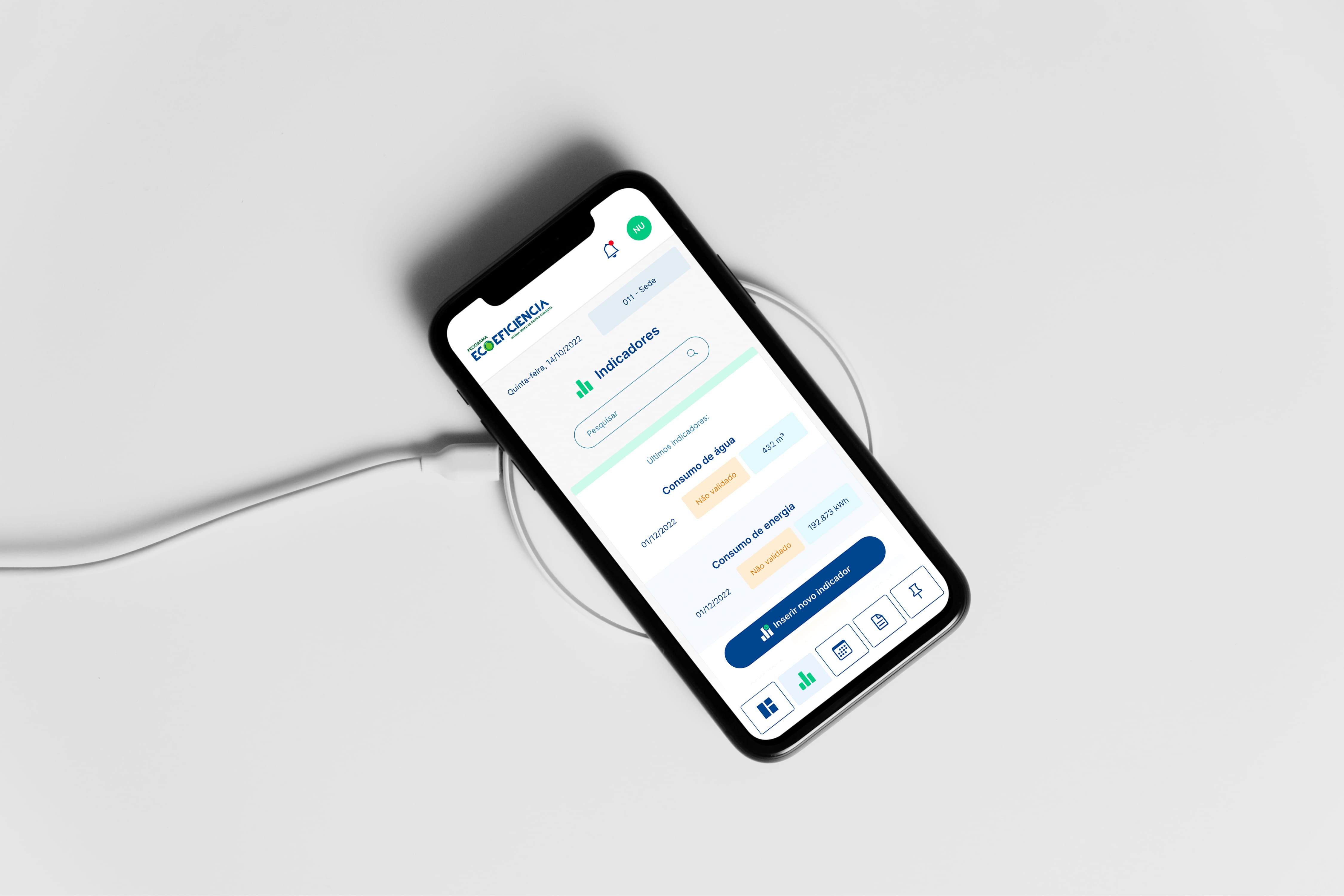
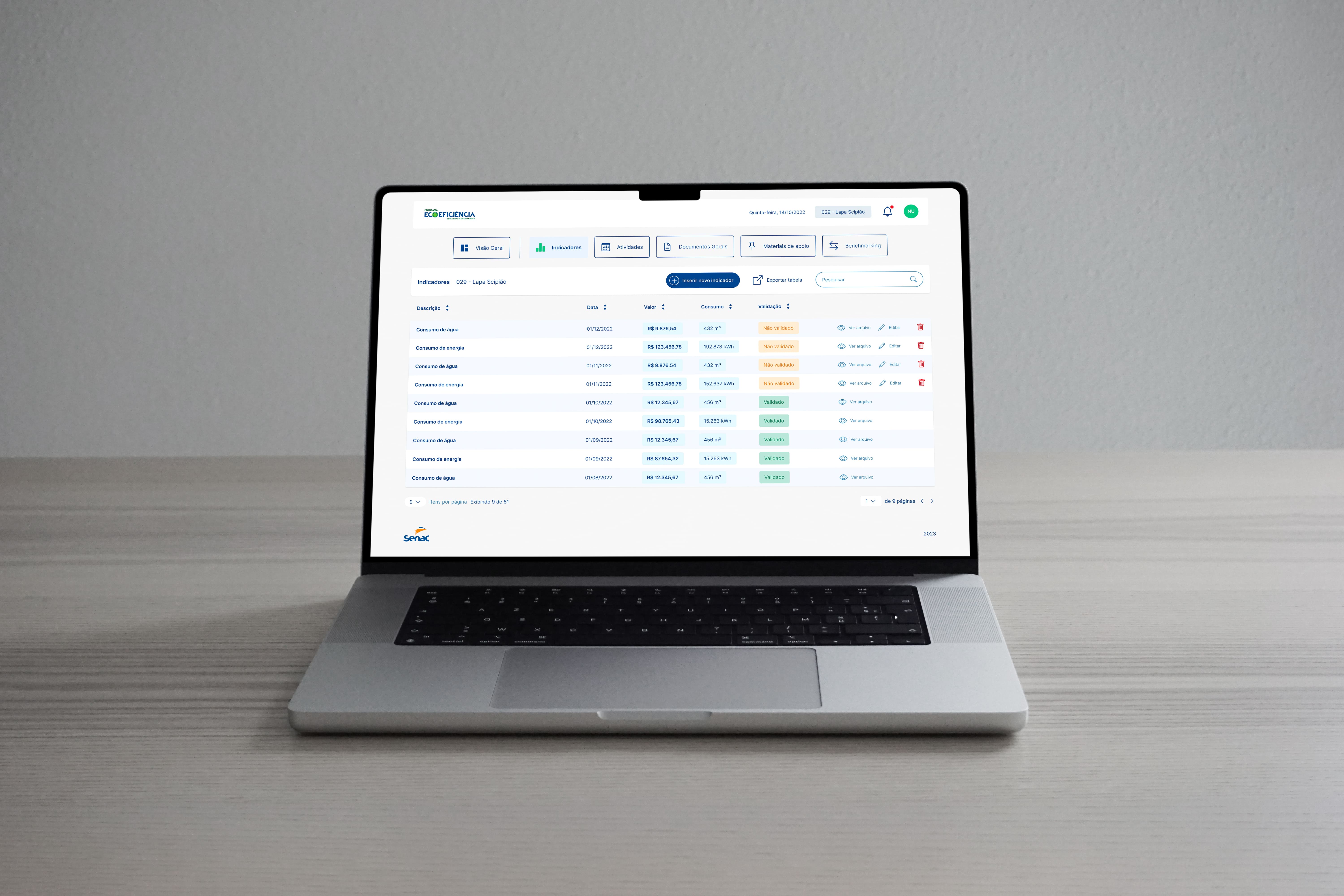
We prioritized a consistent UI across all pages, with a well defined visual hierarchy to enhance the visibility of key elements in the dashboards. Now, screens with the blue side menu indicate the administrator's environment, which provides more options within the platform. Additionally, we included a report generation section with various filters, allowing for an alternative way to view the data. We also developed the mobile version. However, at the client's request, this version includes only the basic user's view, with the most practical functions for them, such as viewing dashboards and uploading certain files. Some time after implementation and based on user feedback, we refined certain workflows and added new features, such as photo uploads. Overall, the response was very positive, with reports of increased adoption and usage of the platform by employees, as well as a much easier and more practical training process for new users.